


|
|
 Select a topic > Select a topic >  Select a sub-topic > Select a sub-topic >  Get an answer Get an answer
|
|
Uploading a photo (change topic)Taking good quality photos
Uploading your photos You can upload photos from your computer or smartphone while creating your listing. You can upload them to My photos within My Trade Me. Images you've uploaded can be reused in future listings. Always ensure the photo is the right way up – having to look at sideways or upside down photos may put prospective buyers off. Your photo must be saved in .gif, .bmp, .png, .jpeg or .jpg format and be under 5MB in size. All photos uploaded to Trade Me have a watermark added on the bottom right corner. This provides a permanent identifier on the image and prevents your images being stolen and used on other websites. *Based on listings started 1 Jan - 16 July 2017. Making Trade Me’s visual layout work for youWe’ve made a change to the way search results are displayed in our General Items categories across Trade Me. When you’re in these categories you’ll see a new visual page layout when searching and browsing. The appearance of each listing depends on our improved range of promotional products available in these categories:
When you upload an image, Trade Me crops and resizes it for display in the visual layout. Where cropping is required a 4:3 ratio is used. The top centre part of your image is what will display, as below: 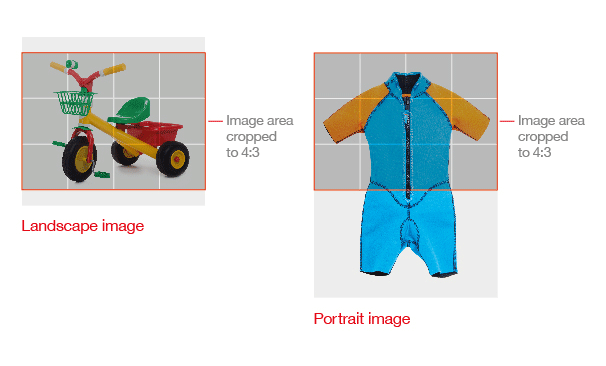
To ensure your product image looks as good as it can in Trade Me’s visual layout, we recommend:
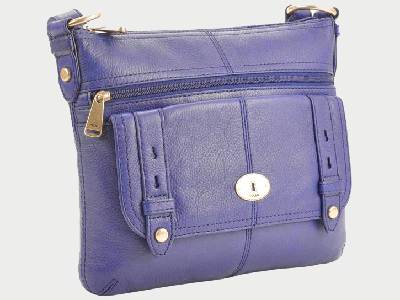
You can edit your image using free desktop software like Paint.Net or PhotoScape, or online editors like PicMonkey. These are only recommendations, any image editor will do the trick! |
|