Suburb Ownership FAQ
Increase your online presence and build your brand with Suburb Ownership.
Frequently Asked Questions
Suburb Ownership ads display in the first in-search ad position in your desired suburb. This runs across desktop, mobile web and both the Trade Me and Trade Me Property apps. It is below the 3rd, 4th or 5th listing depending on the device.
Reach out to your account manager to start the booking process. Our team will then reach out to you with a contract for approval. Once approved we’ll get this booked in and inform you of ad specifications and next steps.
If you would like your Suburb Ownership booking to be billed to your office - please let your Account Manager know when requesting a booking. The contract will need to be approved by the branch manager or business owner.
Some key points to note - We recommend you have one advertising message, however you can have up to 5x creative executions running on rotation (eg. 5x 300x250px ads and 5 640x360px ads). Please allow 3 to 7 business days for creative to go live (once correct creative and website URL is provided). Please take particular note of the pixel dimensions and file weights
| Booking type | Ad sizes required | ||
|---|---|---|---|
| Suburb Ownership PLUS | Suburb Ownership PLUS | 2 Desktop ads (640x360px and 300x600px) and 1 Mobile ad (300x250px) | 2 Desktop ads (640x360px and 300x600px) and 1 Mobile ad (300x250px) |
| Suburb Ownership (Standard) | Suburb Ownership (Standard) | 1 Desktop ad (640x360px) and 1 Mobile ad (300x250px) | 1 Desktop ad (640x360px) and 1 Mobile ad (300x250px) |
If you would like to work with a designer please feel free to reach out to our Suburb Ownership team at advertisingenquiry@trademe.co.nz and we can recommend some designers who have provided us ads in the past. We do also have a templated ad builder available to use, please reach out to us to enquire. The ad builder is not suitable for Suburb Ownership PLUS bookings.
In terms of formats: An animated GIF is a good option as the movement/animation catches the eye and encourages engagement. Static banners (JPEG or PNG) are still a great option and with the right messaging, high engagement can be generated. In terms of the ad content: The best performing Suburb Ownership ads utilize property content - the best example we've seen is 'recently sold' properties. People are curious to know what a property sold for. You can leverage recently sold properties to spark interest and showcase your success.
| Suburb Ownership ads are run on rotation between the 2 suburb owners in the first in-search ad position (this is displayed in between the listings). Each suburb owner receives a 50% share of voice. If you are not seeing your ad, another user will be. | Suburb Ownership ads are run on rotation between the 2 suburb owners in the first in-search ad position (this is displayed in between the listings). Each suburb owner receives a 50% share of voice. If you are not seeing your ad, another user will be. |
|---|---|
| You can try refreshing the page a few times until you see your ad. This may take a few refreshes before you find your ad as it will depend on how many users are searching this suburb at the same time. | You can try refreshing the page a few times until you see your ad. This may take a few refreshes before you find your ad as it will depend on how many users are searching this suburb at the same time. |
| If you are searching for the suburb via a keyword search you won’t be served Suburb Ownership ads. You must select your chosen suburb via the suburb drop down box. | If you are searching for the suburb via a keyword search you won’t be served Suburb Ownership ads. You must select your chosen suburb via the suburb drop down box. |
| If you have multiple suburbs selected at the same time, the suburb owners from all of those selected suburbs will be displaying on rotation. | If you have multiple suburbs selected at the same time, the suburb owners from all of those selected suburbs will be displaying on rotation. |
| If you have tried refreshing your page many times and it is still not displaying, this may be due to a caching issue. If you clear your cache this should help. | If you have tried refreshing your page many times and it is still not displaying, this may be due to a caching issue. If you clear your cache this should help. |
| If you are using an ad-blocker, your ad does not appear as it has been blocked. | If you are using an ad-blocker, your ad does not appear as it has been blocked. |
Yes - you are able to change, replace, or update the ads a maximum of once a quarter (every 3 months). Please send any creative updates or queries to our team at advertisingenquiry@trademe.co.nz
Yes, monthly reporting is sent out on the first business day of the month to the email of the booking approver (unless a different email is requested). This covers the number of impressions served and clicks received by suburb and ad size. If you have any questions about reporting please reach out to our team at advertisingenquiry@trademe.co.nz.
Click through rate is generally an unreliable indicator on how well Suburb Ownership ads are performing as this is an ownership product - you are reaching all users searching for this suburb rather than only targeting users who are getting ready to sell etc. Users who are searching for property may be at completely different stages of their buying or selling journey so may not be ready to interact with your ads. The most important part of this product is that you maintain a high share of voice while advertising in this area and that you are top of mind when vendors or buyers are ready to reach out - similar to a billboard advertisement being placed in a target suburb.
Invoicing is sent out on a monthly basis. Monthly invoice amounts may vary slightly depending on the number of days in the month, however the balance of the monthly invoices will equal the total campaign amount. Agent bookings are billed at the beginning of each month and Office bookings are billed at the end of each month. Any Suburb Ownership invoicing queries should be directed to advertisingenquiry@trademe.co.nz
After the initial advertising term, the Advertiser can cancel the advertising by providing written notice of cancellation by emailing the request to advertisingenquiry@trademe.co.nz. Cancellation requests received on or before the 20th of the month will finish at the end of the month. Cancellation requests received after the 20th will finish at the end of the following month. E.g. if an Advertiser wanted to cancel from 30 June onward, then written notice of cancellation would be needed on or before 20 June. It is not possible to cancel during the initial advertising term. Please note that for Office bookings - only the branch manager or business owner can request cancellation for the booking. For agent bookings we must receive the cancellation request from the agent themselves.
What is Suburb Ownership?
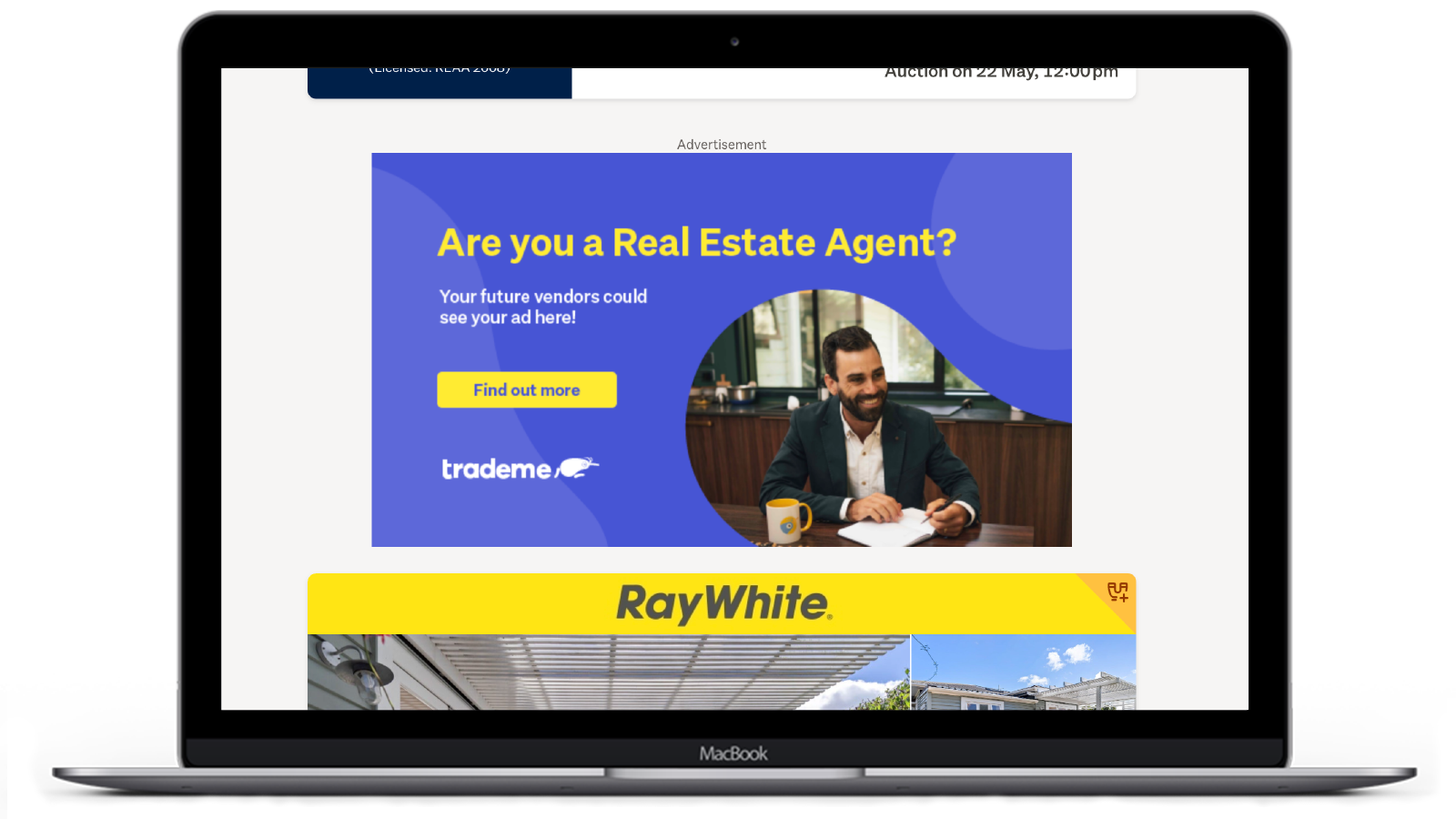
Desktop view of the 640x360px banner
What is the difference between Suburb Ownership Plus and Suburb Ownership (Standard)?
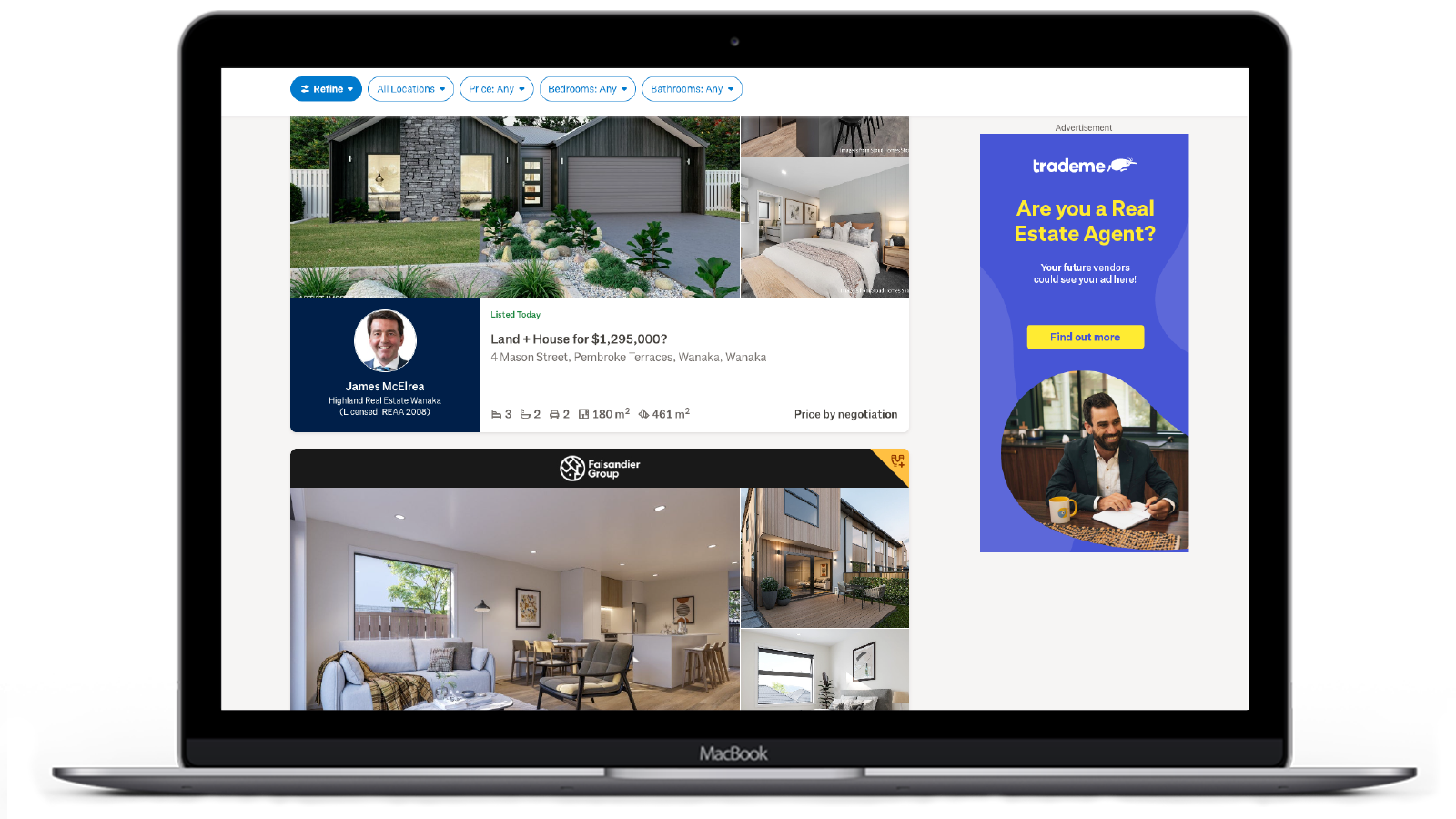
300x600px Suburb Ownership PLUS banner


