New up front shipping info
Know when it's coming, know what it costs.
We've made shopping even easier
To help make shopping on Trade Me a breeze, we've added a new feature to listings you see on site.
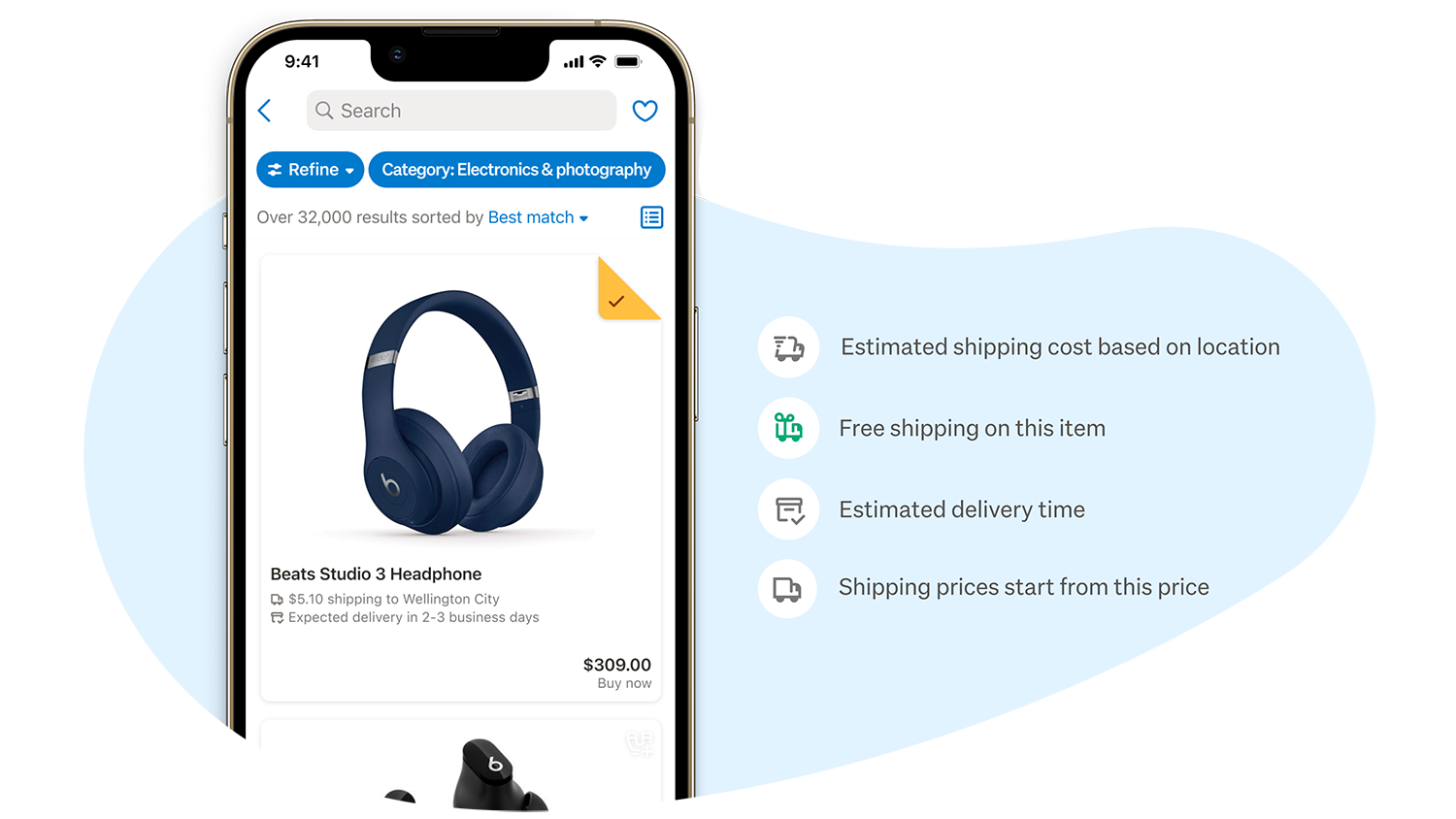
Many search results now display shipping costs and expected delivery times to your preferred delivery location.
These are always estimates – if shipping costs are a little different than expected, or an item doesn’t arrive within the estimated time frame, reach out to the seller.
What's new?

Shipping info is now shown in listing search results.

Know when your item is likely to arrive.

Estimates for shipping costs are displayed at a glance.
Handy icons on listings
For sellers who have opted into this new feature, you'll see a range of icons that indicate different shipping types along with estimated shipping times and costs.
Top tip: updating your preferred delivery location will help provide more accurate estimates.
FAQs
Why can I see this on some listings and not others?
It's new and only available for some sellers right now. Eventually, you’ll experience it more frequently from our in-trade sellers.
How do I set up my preferred shipping location?
Go into the refine menu, select shipping, then go to shipping location in the menu and select your preferred location.
Am I covered by Buyer Protection if it doesn’t arrive in the expected timeframe?
The expected delivery time is an estimate and not a promise, but Buyer Protection will still apply for items that don’t show up.
How can I add this info to my listings as a casual seller?
This is a feature for our in-trade sellers. Right now it’s not available to casual traders but we’ll let you know if this changes.