

Description
Streaming Console for macOS/Windows
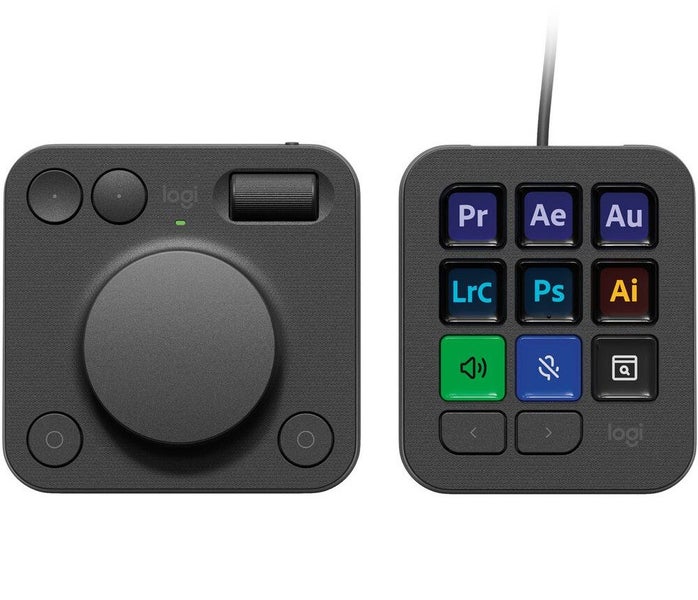
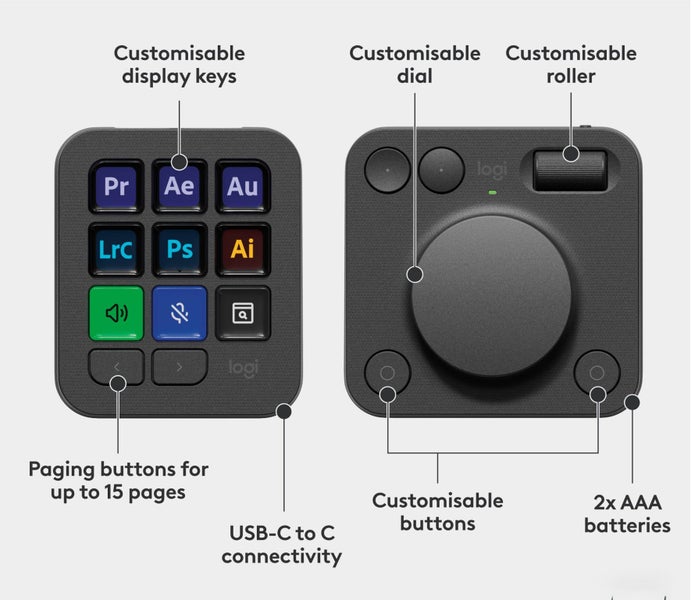
9 Customizable Buttons with LCD Screens Bluetooth Dial Pad Native App Integration Logi Options+ App USB-C Cable, Desktop Stand
Taken out of the box once, but never used!
Streamline your creative workflow using the graphite Logitech MX Creative Console using its customizable button controls and dial pad interface. The console features nine tactile buttons with backlit LCDs that can be completely customized for your needs, whether for quick app launching or specific actions. An included dial pad communicates with the main console via Bluetooth and has a large low-friction dial that facilitates more precise adjustments to your content. Connect the console to your Windows or macOS computer using the included USB-C cable, and use the desktop stand for flexible placement on your workspace.
https://www.logitech.com/en-nz/products/keyboards/mx-creative-console.html
Details
Shipping & pick-up options
| Destination & description | Price | |
|---|---|---|
| North & South Island | $15.00 | |
| Pick-up available from Nelson, Nelson Bays | Free | |
Payment Options
Pay instantly by card, Ping balance or saved bank account.
Cash, NZ Bank Deposit
Questions & Answers
Logitech MX Creative Console (Graphite)
Am I covered by Buyer Protection?
When you make a purchase using Card, Direct Debit, Ping balance or Afterpay we are able to protect your trade under our Buyer Protection policy, up to $2,500.
Learn more about Trade Me's Buyer Protection.