

Description
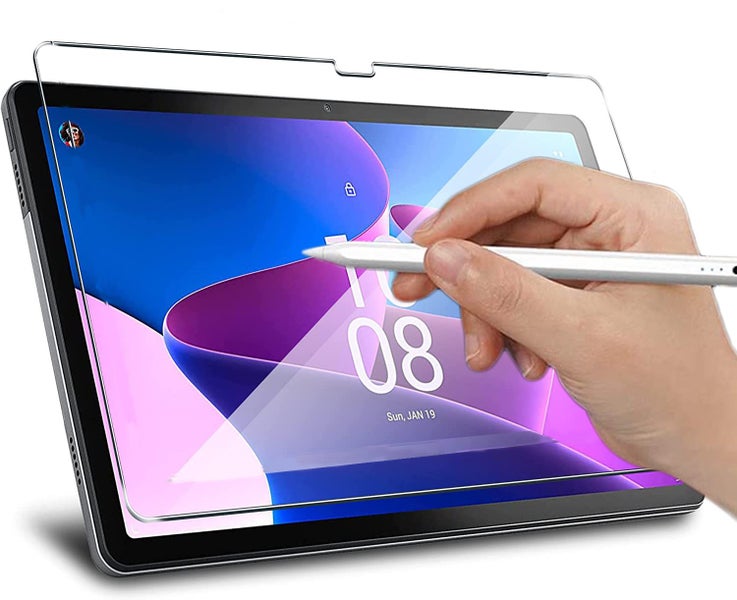
If you're looking for an tablet screen protector to improve the experience of writing and drawing on your tablet, look no further. The Lenovo Tab M10 Plus Paperfeel Screen Protector (3rd Gen) is developed to work in perfect harmony with the Samsung S Pen.
The Lenovo Tab M10 Plus Paperfeel Screen Protector (3rd Gen) brings the precision of paper to a paperless environment.
== Compatible with:
Lenovo Tab M10 Plus (3rd Gen) Lenovo Tab M10 Plus Gen 3
Model numbers: TB125FU TB128FU TB128XU
== Features:
Specially designed Lenovo Tab M10 Plus Paperfeel Screen Protector (3rd Gen)
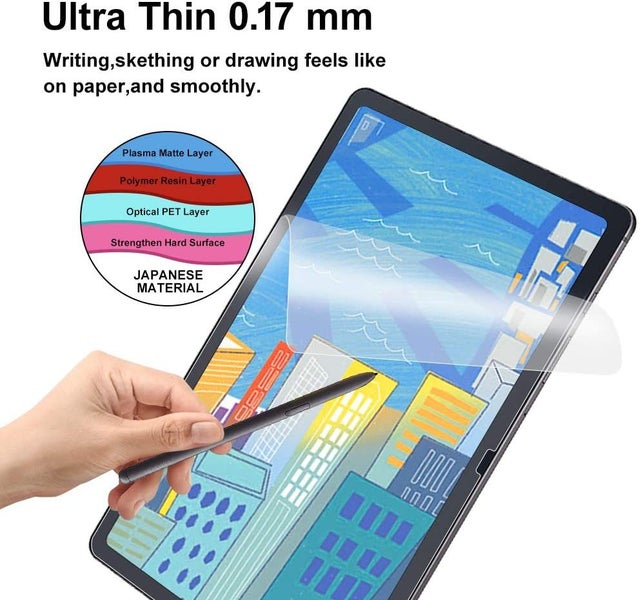
Delivers a true paper feel that makes note-taking a breeze
Write and draw like on paper
More precision while drawing
More legible handwriting
Better endurance and less hand tiring
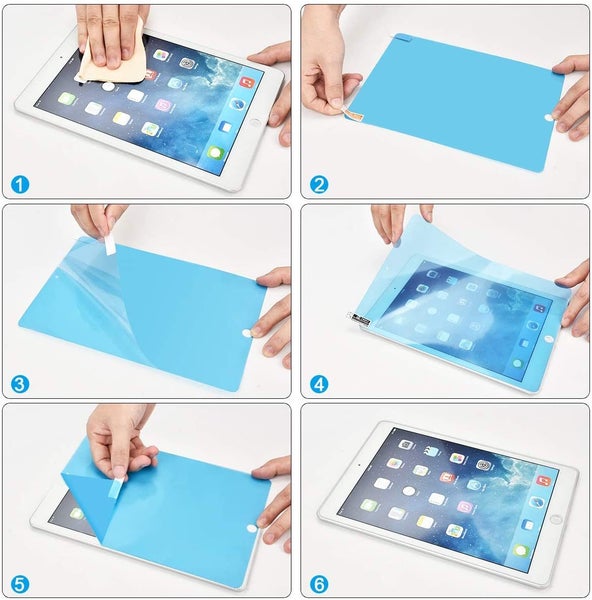
== Installation guide: The screen protector has two outer protective layers.
- Use the Wet (Alcohol) Wipe to clean your tablet screen.
- Wipe out the excess alcohol from the screen using the Dry Wipe.
- Use the Dust Absorber Sticker provided to remove any dust or hair left on the screen.
- Peel off one end of the protective layer with "(1)" sign on it. DO NOT peel off the entire protective layer yet. You can then peel it off gradually during the next step.
- Align the screen protector with the screen. Start from one end and slowly proceed towards the other end so there is no bubble left. Use the squeeze card provided to push out the air bubbles (if there are any) during the process.
- Peel off the protective layer with "(2)" sign on it.
- Use the squeeze card to push out the residual air bubbles (if there are any).
== Item includes: 1 x Lenovo Tab M10 Plus Paperfeel Screen Protector (3rd Gen) 1 x Wet (Alcohol) Wipe 1 x Dry Wipe 1 x Dust Absorber Sticker 1 x Squeeze Card
== Notes:
Third party product, not made by tablet manufacturer
Lenovo Tab M10 Plus Paperfeel Screen Protector (3rd Gen) only, tablet is not included
!!! STOCK IN NZ and READY TO DISPATCH !!!
Details
Shipping & pick-up options
| Destination & description | Price | |
|---|---|---|
| Auckland 1-2 days, Express | $6.90 | |
| Nationwide 1-2 days, Express | $8.90 | |
| Auckland 2-4 days, Rural | $12.90 | |
| Nationwide 3-5 days, Rural | $14.90 | |
| Combine with another item you've paid shipping on | $2.00 | |
| Shipping more than one item | No extra charge | |
Estimated delivery times in business days
Seller does not allow pick-ups
Payment Options
Pay instantly by card and Ping balance.
Four fortnightly interest-free payments.
Questions & Answers (1)
We offer combined shipping. If you buy several items on the same listing, you only need to pay one full shipping fee, i.e. no extra charge on shipping for more than one item. If you buy several items on different listings, please pay full shipping on the first listing; then choose the combined shipping options on other listings. Seller comment Tuesday, 17 March 2026
Lenovo Tab M10 Plus 3rd Gen TB125 TB128 Paperfeel Screen Protector
Am I covered by Buyer Protection?
When you make a purchase using any Ping payments like Card or Balance, or Afterpay we are able to protect your trade under our Buyer Protection policy, up to $5,000.
Learn more about Trade Me's Buyer Protection.
About the store
blueshiftnz
99.2% positive feedback( 148211