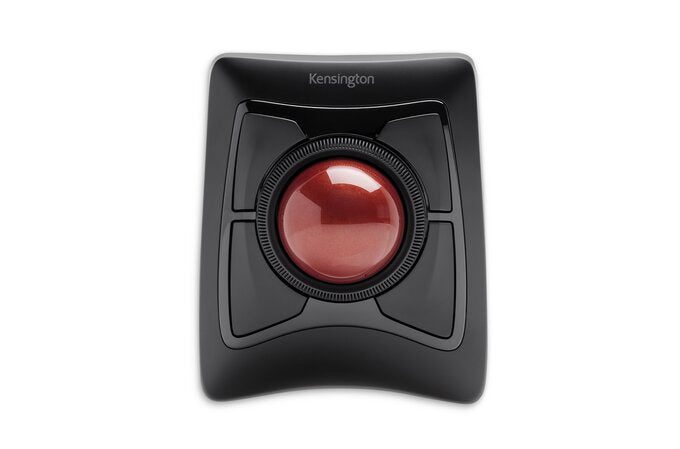

Description
Dual Wireless Technology The ultimate in wireless freedom, allowing you to connect either via Bluetooth(R) 3.0/5.0 LE that allows you to save a valuable USB port or through a highly reliable 2.4GHz USB nano receiver KensingtonWorks(TM) Customization Free downloadable software provides an even more personalized experience, giving you the ability to assign a wide variety of program functions to each of the 4 buttons, as well as adjusting cursor and scrolling speeds DiamondEye(TM) Optical Tracking Movement detection technology provides smooth, precise cursor control so you can get where you want on the screen quickly with less hand movement, improving productivity and efficiency Scroll Ring and Large Ball Spin the dial to move up and down web pages or documents with complete ease. The red ball has been specially designed with an absolute spherical, hard surface for precise tracking and control. Ambidextrous Design Works equally well for both right-handed and left-handed users to get the most out of their trackball Detachable Wrist Rest Soft cushioning cradles the hand and wrist in ergonomic comfort for pain-free productivity during extended periods of activity on the computer.
Details
Shipping & pick-up options
| Destination & description | Price | |
|---|---|---|
| Free shipping within New Zealand | Free | |
| Shipping more than one item | No extra charge | |
Estimated delivery times in business days
Pick-ups not available
GST included.
Payment Options
Pay instantly by card and Ping balance.
Four fortnightly interest-free payments.
Questions & Answers
Kensington Expert mouse Office Ambidextrous RF Wireless + Bluetooth Trackball
Am I covered by Buyer Protection?
When you make a purchase using any Ping payments like Card or Balance, or Afterpay we are able to protect your trade under our Buyer Protection policy, up to $5,000.
Learn more about Trade Me's Buyer Protection.
About the store
bargain.deals
81.4% positive feedback( 37